
 There are two problems with tablet displays:
- they are not bright enough (imagine yourself on Waikiki Beach, twelve noon)
- they are too bright (in most other cases)
I mostly use the tablet at home, and mostly during evenings, so the latter issue becomes a pre-nightmare, especially when you want to read a book in a night mode.
Some book-reading apps (like the December update of Google Play Books) allow extra dimming, but using a special app will let you lower the brightness in general.
I’ve tested a couple of apps, and decided to go with Screen Dimmer. The app puts a color layer over the display. This is the way to reduce brightness, but it’s not the only thing it does.
There are three features that make it über-useful:
1. Scheduling
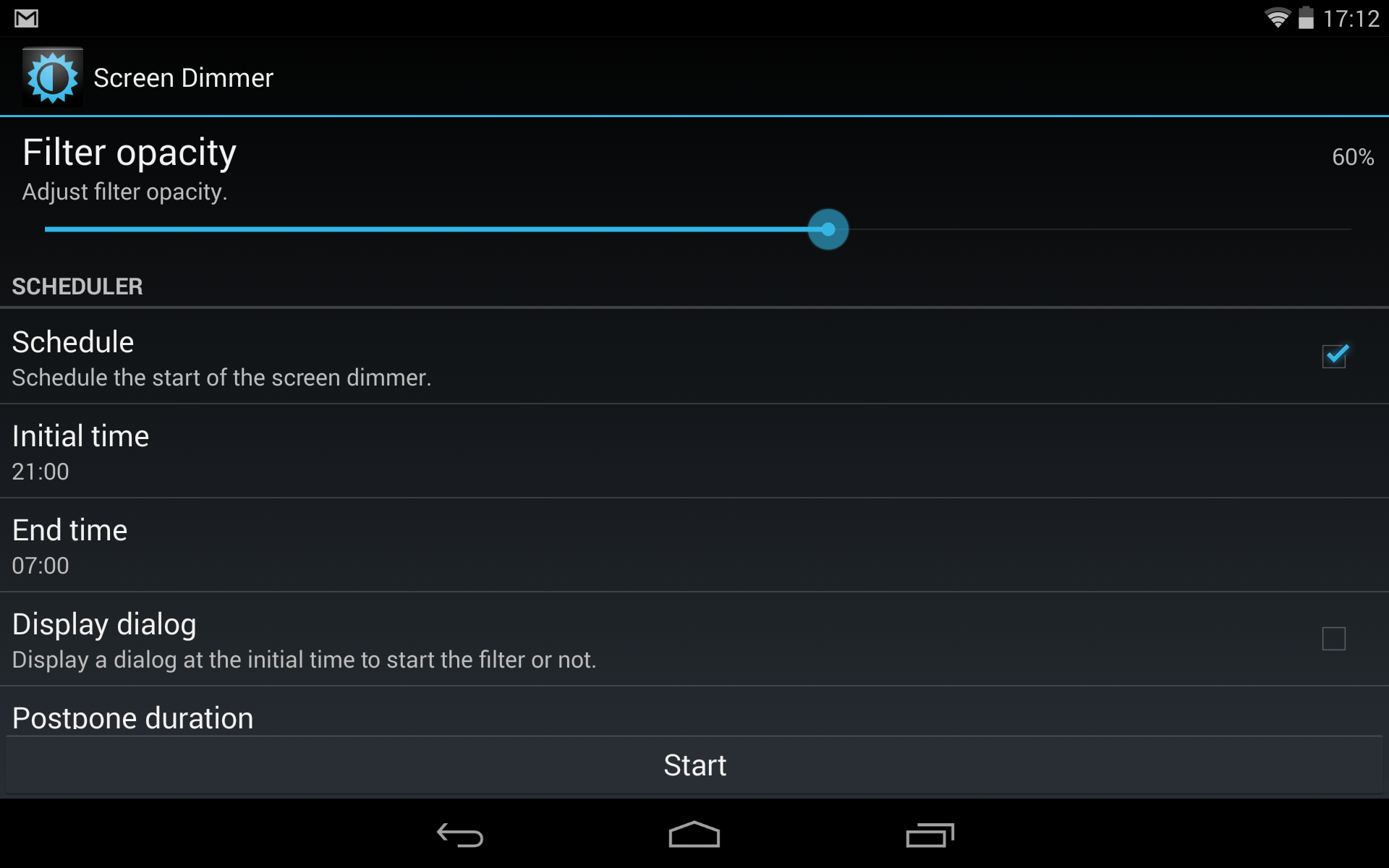
You can set up when the app should start working (put an extra dim on your device’s display). With this up you can also turn on a silent mode (in pro version).
What’s very useful, you can use a “schedule with the sun” pro feature. The app will automatically start and stop at the time of the sunset and sunrise.
2. Adjustments & Controls
There are many ways to adjust the levels (the most important one is listed below in a separate section). There are also several ways to control the app’s settings.
One is, obviously, opening the app itself. There is also a widget (1×1 to 1×4) which lets turn on extra dimming and adjust transparency.
For me, the best option is to let the app send a notification every time it starts running on schedule. From a notification center you can adjust the level of transparency, so there is no reason to have a widget sitting on the screen all the time.
3. Set color warmth
Most importantly, the app does what f.lux does to computers: it lets change color warmth of the screen. It’s natural to have a warmer light of your tablet’s display to match an indoor lighting.
As I said, Screen Dimmer put an extra color layer over the screen. It’s up to you which filter color you choose. For evening reading the best colors are: red, yellow, orange, or brown. You can also set up a custom color, as well.

The result is seen in a screenshot below. This is a night theme in Google Play Books. Filter color in Screen Dimmer is set to brown. On a computer it may seem too dark, but believe me, it’s a perfect light for night owls.

More tips to explore:
[ef-archive number=5 tag=”tips” ]



Leave a Reply